How AWS Systems Manager Keeps Your Cloud Accountable: A Deep Dive into CloudTrail Logging
Every command you run, every secret you read, every session you open on a production server — AWS Systems Manager records all of it automatically in CloudTrail. Here is why that matters, and how to make the most of it.
There is a question every cloud engineer eventually faces during an incident: who did this, and when? Maybe a configuration changed without warning. Maybe a secret was accessed at an unusual hour. Maybe a production server was restarted and no one knows why.
If your team uses AWS Systems Manager (SSM), the answer to that question is already waiting for you — captured automatically in AWS CloudTrail, timestamped to the second, tied to a specific IAM identity, and tamper-resistant.
This post breaks down exactly how that audit trail works, what it captures, and how to put it to use.
An audit trail is not just about catching bad actors. It is about giving every engineer on your team the confidence to act quickly, knowing that every action is traceable and recoverable.
What AWS CloudTrail Actually Does
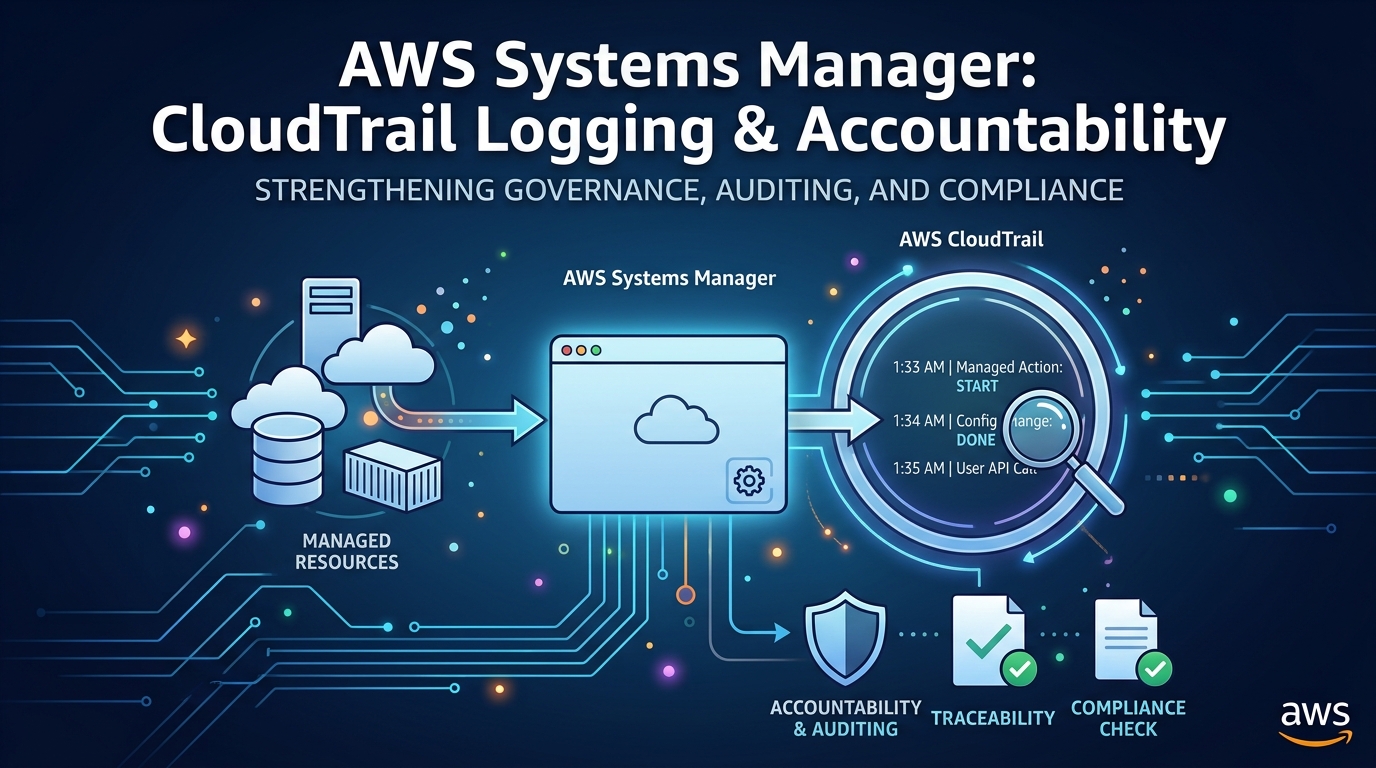
CloudTrail is AWS's native audit logging service. Its job is simple: record every API call made in your AWS account. Whether that call comes from the AWS Console, the CLI, an SDK, a Lambda function, or another AWS service — CloudTrail sees it and writes it down.
Since AWS Systems Manager is itself an AWS service, every SSM operation is an API call, which means every SSM operation becomes a CloudTrail event. No extra agents. No custom logging setup. It happens automatically.
Each CloudTrail event contains:
The IAM identity that made the request (user, role, or service)
The exact API action performed
A precise UTC timestamp
The source IP address of the request
The full request parameters
Whether the request succeeded or was denied
Free vs. Paid
CloudTrail provides 90 days of event history for free in every AWS account. For a persistent, queryable log delivered to S3 — which you want for compliance — you need to create a Trail. It costs a small amount per 100,000 events, but for most teams it works out to a few dollars a month.
Every SSM Action That Gets Recorded
Here are the most security-relevant SSM operations and the CloudTrail event names they generate:
SSM FeatureWhat It DoesCloudTrail EventRun CommandExecute shell/PowerShell on instancesSendCommandSession ManagerOpen an interactive shell sessionStartSessionSession ManagerClose a shell sessionTerminateSessionParameter StoreRead a stored value or secretGetParameterParameter StoreCreate or update a parameterPutParameterParameter StoreDelete a parameterDeleteParameterAutomationTrigger a runbookStartAutomationExecutionPatch ManagerApply a patch baseline to a groupRegisterPatchBaselineForPatchGroup
Session Content vs. Session Events
CloudTrail records the start and end of Session Manager connections, not the keystrokes inside them. To capture what was typed during a session, you must separately enable Session Manager logging to S3 or CloudWatch Logs inside SSM's session preferences.
What a CloudTrail Event Actually Looks Like
Here is a real example of the CloudTrail event generated when an engineer uses Run Command to restart nginx on a production instance:
{
  "eventVersion": "1.08",
  "userIdentity": {
    "type":     "IAMUser",
    "userName": "alice",
    "arn":      "arn:aws:iam::123456789012:user/alice"
  },
  "eventTime":   "2026-09-30T10:42:00Z",
  "eventSource": "ssm.amazonaws.com",
  "eventName":   "SendCommand",
  "sourceIPAddress": "203.0.113.42",
  "requestParameters": {
    "documentName": "AWS-RunShellScript",
    "instanceIds":  ["i-0abc123def456"],
    "parameters": {
      "commands": ["systemctl restart nginx"]
    }
  },
  "responseElements": {
    "command": {
      "commandId": "aabbcc-1122-3344-5566-ddeeff001122",
      "status":    "Pending"
    }
  }
}
In that single event you have everything you need: alice restarted nginx on instance i-0abc123def456 at 10:42 UTC on September 30, 2026, from IP 203.0.113.42. If something broke at 10:43, you now know exactly where to start.
The Full Audit Pipeline
An SSM action does not just appear in CloudTrail — it flows through a pipeline that makes the data searchable, alertable, and long-lived.
SSM API Call
CloudTrail Event
S3 Bucket
Athena / CloudWatch
Alert / SIEM
Once events reach S3, you can query them interactively with Amazon Athena using plain SQL, stream them into CloudWatch Logs for real-time alerting, or forward them to a SIEM such as Splunk, Datadog, or OpenSearch for deeper security analysis.
Three Scenarios Where This Saves You
Scenario one — Detecting unauthorized secret access
Your production database password lives in Parameter Store as a SecureString. You set up a CloudWatch alert that fires whenever GetParameter is called on that path by any identity other than your application's Lambda execution role. At 2 AM on a Tuesday, the alert fires. A compromised developer key has read the secret. You know immediately — not three weeks later.
Scenario two — Tracing a production change
The web server starts returning 502 errors at 11:15 PM. The on-call engineer queries CloudTrail for SendCommand events on that instance group between 11:00 PM and 11:20 PM. They find a command that changed the nginx config — run by an automation script — and have a root cause in under two minutes.
Scenario three — Satisfying a compliance audit
Your SOC 2 auditor needs evidence that all privileged access to production servers is logged and reviewed. You export 90 days of StartSession events from CloudTrail, filter by production instance tags, and generate a clean access report. No manual logbook. No spreadsheet. Just a reliable, automated record.
Cryptographic Integrity
CloudTrail supports log file integrity validation, which generates a hash digest for every log file delivered to S3. This lets you prove to auditors that no log has been deleted or altered after the fact — a critical requirement for compliance frameworks like SOC 2 and PCI-DSS.
Setting It Up the Right Way
Create a persistent Trail
The free 90-day event history is useful for quick lookups, but it is not queryable at scale. Create a Trail in the CloudTrail console that delivers logs to a dedicated S3 bucket. Enable it for all regions. This gives you a permanent, searchable record.
Enable data events for Parameter Store
By default, CloudTrail only captures management-plane events (creating commands, registering baselines). GetParameter — the call that reads a secret — is a data-plane event and requires you to explicitly enable data events on your Trail. This costs slightly more but is essential for secret access auditing.
Add CloudWatch alerts for high-risk actions
Create metric filters on your CloudTrail log group and attach CloudWatch Alarms. The SSM events worth alerting on immediately:
DeleteParameteron any production pathStartSessionfrom an IAM identity with no prior session historySendCommandusing a custom, non-standard documentAny SSM action from an IP address outside your known range
PutParameteron parameters tagged as production
Query history with Athena
Point Amazon Athena at your CloudTrail S3 bucket and you can run SQL queries across months of data in seconds. During incident response, a query like "show me every SSM command run on this instance in the last 48 hours" is invaluable.
The Bottom Line
Most security incidents are discovered long after they happen. By that time, shell history has been cleared, log rotation has run, and the engineer who made the change is on a different project. The only thing you can reliably count on is what was recorded automatically, in a system that was not under the attacker's control.
AWS Systems Manager's deep integration with CloudTrail gives you exactly that. You do not need to build it, configure agents, or maintain a log pipeline. Every SSM action is an AWS API call, and every AWS API call is a CloudTrail event. It is automatic, tamper-evident, and it scales to millions of operations without any operational overhead.
Using SSM without reviewing your CloudTrail logs is like having a security camera system and never checking the footage. The recording is happening — make sure you are watching it.